How to reduce support response time
A practical guide to bringing down first-response time — with assignment, macros, automations, SLAs and a KB doing the heavy lifting.
Free forever for small teams · 90-day Pro trial · No credit card
Why teams switch to Tixallo
- Auto-assign new tickets so no one has to triage manually.
- Macros for the answers you give every day.
- Automations to tag, prioritise and route on arrival.
- SLA timers and escalation reminders so the clock is visible.
- KB so customers self-serve the easy questions before they email.
A quick look
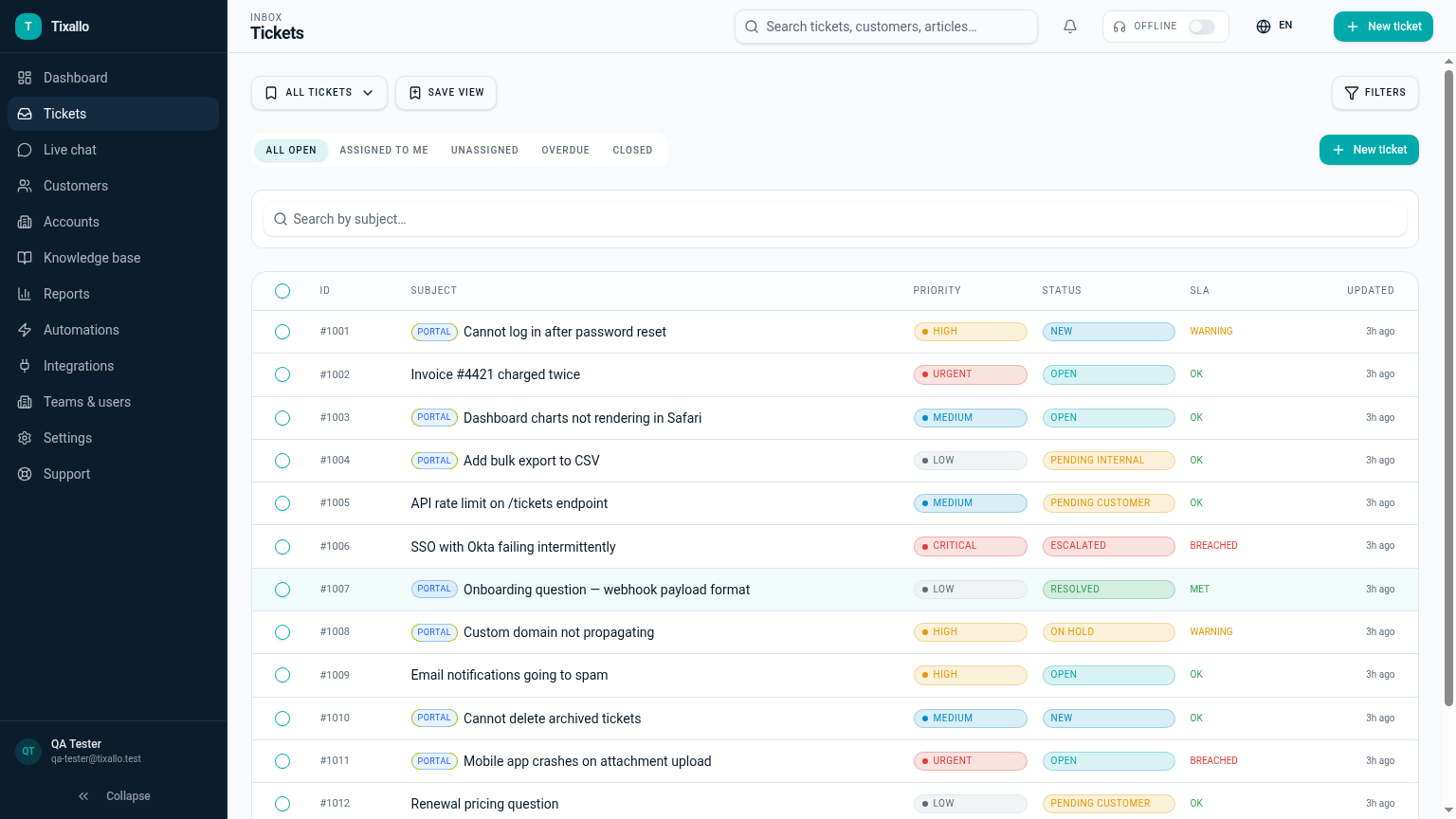
What Tixallo includes today
We only list features that are live in Tixallo right now. No roadmap-stuffing.
- Auto-assignment via automations
- Macros and saved replies
- SLA timers and escalation reminders
- Saved views with multi-condition filters
- AI assist for thread summaries and reply drafting (Pro trial)
- Public KB + customer portal for self-service
- Reporting on first response and resolution time
Best fit / not best fit
Tixallo is a great fit if…
- First-response time is your worst metric.
- You want fewer manual steps before the first reply.
- You want self-service to lower the easy questions.
Tixallo is not the right pick if…
- You need a fully autonomous AI agent that closes tickets.
- You need a marketing-automation platform.
- You need integrated voice / call centre.
Add Tixallo to your website in minutes
Website contact forms
Hosted form pages and copy-paste embeds turn site traffic into tickets — no developer required.
Add Tixallo to your websiteLive chat widget
A lightweight chat script your visitors can use immediately. Conversations land in the same shared inbox as email.
See live chatThe problem
Slow first-response time isn't usually a staffing problem — it's a routing problem. Tickets sit in a generic queue until someone picks them up, the right person doesn't see them until hours later, and the same easy questions are typed out by hand every day. Bringing first-response time down means removing manual triage and letting customers self-serve the easy 20%.
Step-by-step
- 1
Measure where the time actually goes
Pull a baseline first-response and resolution report. Break it down by tag and by hour-of-day so you know whether the slow tickets are 'unassigned overnight' or 'wrong person assigned'.
- 2
Auto-assign on arrival
Use round-robin or skill-based assignment so no ticket sits with 'no owner'. Even a simple 'first 10 minutes go to whoever is on triage' rule is a big win.
- 3
Build macros for your top 10 answers
Look at your last 100 outbound replies — the same 10 templates probably cover 60–70% of volume. Each macro saves 60–120 seconds per ticket and removes typos.
- 4
Set 2–3 SLAs, not 20
One first-response SLA per channel and a tighter SLA for tickets tagged 'urgent' or 'down' is enough to start. Add escalation reminders so the on-call notices before the customer does.
- 5
Publish a KB and link it from your contact form
A short KB cuts the easy questions before they hit your inbox. Linking suggested articles from the contact form is the single biggest deflection lever.
- 6
Use AI assist to draft, not to send
Let AI summarise long threads and draft a starting reply. Agents edit and send. Faster than typing from scratch, safer than auto-resolving.
Common mistakes to avoid
- !Optimising response time on the same ticket twice (a quick first reply followed by silence).
- !Letting the SLA clock pause on every status — it just hides the problem.
- !Setting a 1-hour SLA on every channel; nobody can meet it consistently.
- !Writing 30 macros — agents won't search them. Start with 10 great ones.
- !Auto-assigning to people who are out of office; check schedules first.
- !Hiding the KB behind a login or burying it in the footer.
How Tixallo helps
- Ticketing system with automation
Auto-assign, tag, prioritise and escalate on arrival without writing code.
- Ticketing system with knowledge base
Public KB and portal so customers find the answer before they email.
- Live chat ticketing system
Add a chat widget so quick questions don't all funnel through email.
- Pricing
Automations and SLAs are in Pro — free for the first 90 days, no card.
Frequently asked questions
Can we measure first response time?
Yes — reports show first response and resolution time, by team and by view.
What's a realistic first-response target?
Most B2B teams target under 4 working hours; consumer chat teams target under 5 minutes during staffed hours. Set the target you can actually staff for, then tighten it once routing and macros are in place.
Do automations cost extra?
Automations and SLA rules are part of the Pro feature set, which is free for the first 90 days. After that, available on Starter+.
Will AI auto-reply to customers?
No. Tixallo's AI drafts a reply and summarises long threads — a human still hits send. We don't ship autonomous auto-resolution.
Free plan?
Free forever for small teams (2 agents, 100 tickets / month). Pro features are free for the first 90 days, no card.
Try Tixallo free
Free forever for small teams. Pro features free for 90 days. No credit card.