A customer portal that cuts repeat tickets
Tixallo's customer portal lets people submit tickets, track replies and search your knowledge base in one place — so simple questions self-serve and your team focuses on real work.
Free forever for small teams · 90-day Pro trial · No credit card
Why teams switch to Tixallo
- One place for ticket history, replies and knowledge base search.
- Customers can submit a new ticket without an email round-trip.
- KB articles surface on the portal, not just on a separate help site.
- Article ratings tell you which docs actually help.
- Free forever for small teams; Pro features included free for 90 days.
A quick look
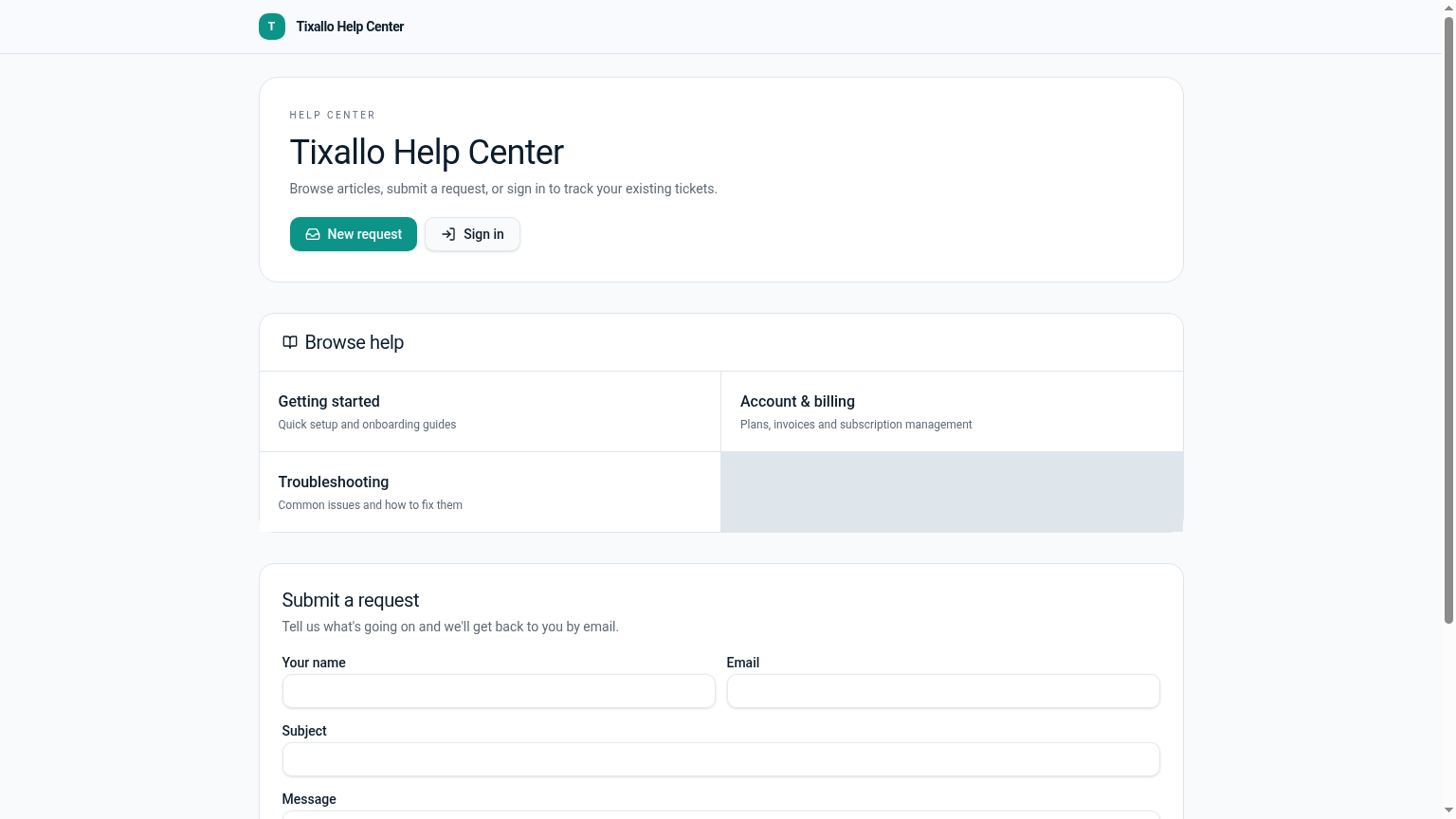
Customer portal — submit and track tickets
What Tixallo includes today
We only list features that are live in Tixallo right now. No roadmap-stuffing.
- Customer portal with login + ticket history
- Submit a new ticket from the portal
- Reply on tickets from the portal (no inbox needed)
- Knowledge base search inside the portal
- Public knowledge base with article ratings
- Branding badge on Free; removed on Pro
Best fit / not best fit
This is a great fit if…
- Customers ask the same questions over and over and you want self-serve answers.
- You want a single URL to send customers to instead of an email thread.
- You want article ratings so you can see which KB pages need rewriting.
- You want all of this on a free plan to start.
Not the right pick if…
- You need multiple branded portals on different custom domains today.
- You need community / forum features (Q&A threads, voting).
- You need a customer-facing roadmap / changelog product baked into the portal.
Migration path
- 1
Sign up for Tixallo — no card needed.
- 2
Add a few KB articles in /app/knowledge so the portal isn't empty on day one.
- 3
Share the portal URL with customers (or link to it from your site).
- 4
Customers create accounts and start submitting + tracking tickets.
- 5
Watch article ratings to see which KB pages are working.
Tixallo portal vs email-only support
| Capability | Tixallo | Alternative |
|---|---|---|
| Customer-visible ticket history | Yes | No — only what's in their inbox |
| Self-serve KB search | Yes, in-portal | Separate site, if any |
| Submit a new ticket | From portal or email | Email only |
| Article ratings | Yes | No |
| Free plan | Yes | — |
Add Tixallo to your website in minutes
Website contact forms
Hosted form pages and copy-paste embeds turn site traffic into tickets — no developer required.
Add Tixallo to your websiteLive chat widget
A lightweight chat script your visitors can use immediately. Conversations land in the same shared inbox as email.
See live chatFrequently asked questions
Can customers reply on the portal?
Yes. They can reply, attach files, and see your replies in real time without needing to dig through their email.
Does the portal include the knowledge base?
Yes — KB search and article browsing are part of the same portal, so customers can self-serve before opening a ticket.
Do customers need to create an account?
Customers sign in to see their ticket history and reply on the portal. They can also submit and reply via email without an account.
Does it support custom domains?
Custom domains are on the roadmap. Today the portal lives under your Tixallo workspace URL — you can link to it from your site.
Try Tixallo free
Free forever for small teams. Pro features free for 90 days. No credit card.