Live chat ticketing system
The category overview for chat-first teams: a live chat widget where every conversation becomes a tracked, assignable, SLA-timed ticket. For ticket-first teams adding chat as a secondary channel, see ticketing system with live chat.
Free forever for small teams · 90-day Pro trial · No credit card
Why teams switch to Tixallo
- One inbox for chat, email and website forms — no tab switching.
- Every chat session becomes a ticket you can assign, tag, escalate and reopen.
- Availability routing — when no one's online, visitors leave a message that becomes a ticket.
- Lightweight script — fast to load, easy to drop into any site.
- Free forever for small teams; Pro features included free for 90 days.
A quick look
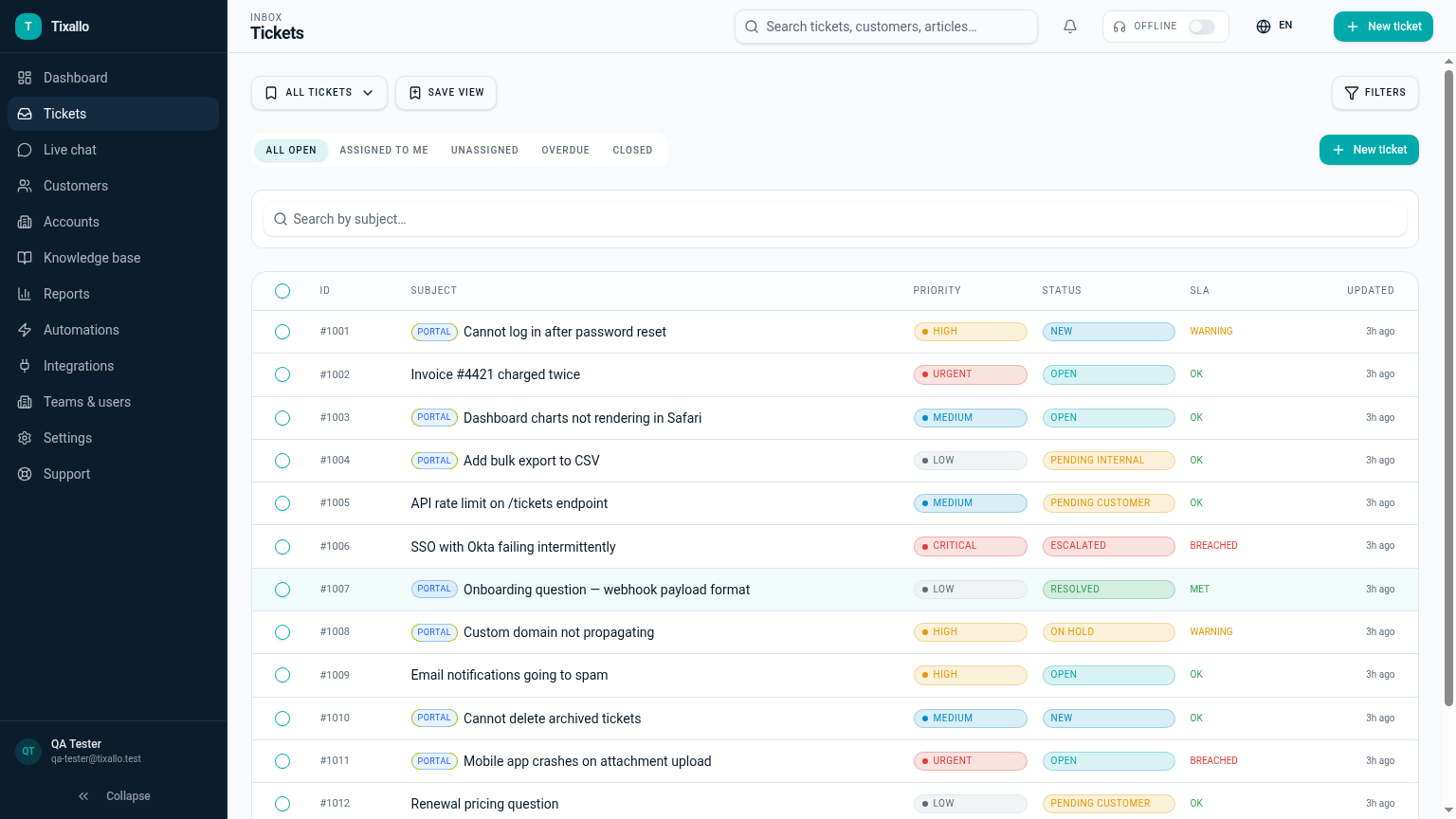
What Tixallo includes today
We only list features that are live in Tixallo right now. No roadmap-stuffing.
- Live chat widget with availability routing
- Each chat session becomes a real ticket
- Shared inbox for chat, email and form tickets together
- Internal notes and assignments inside the chat thread
- Customer record auto-created from the visitor's email
- AI assist for summaries and reply drafting
- Branding badge on Free; removed on Pro
Best fit / not best fit
This is a great fit if…
- Your team handles email + chat and you want one inbox for both.
- You're tired of chat logs that disappear into a separate tool.
- You want SLA timers that work whether the customer wrote in via chat, email or a form.
- You want a chat widget you can ship today, not next sprint.
Not the right pick if…
- You need a sales-first chat product with lead-routing playbooks.
- You need co-browsing or screen-sharing in chat.
- You need outbound proactive marketing campaigns inside chat.
Migration path
- 1
Sign up for Tixallo — no card needed.
- 2
Open Settings → Connect website and grab the chat widget snippet.
- 3
Paste the snippet into your site (any page, any CMS).
- 4
Set agent availability so the widget shows online / offline correctly.
- 5
Reply from the same inbox you use for email tickets.
Tixallo chat vs a standalone chat tool
| Capability | Tixallo | Alternative |
|---|---|---|
| Conversations are tickets | Yes — assignable, taggable, SLA-tracked | Often just a chat log |
| Same inbox as email | Yes | No |
| Offline → ticket fallback | Yes | Varies |
| Customer record created | Yes | Sometimes |
| AI reply drafts | Yes (assist) | Varies |
| Free plan | Yes — free forever for small teams | Mostly trial-only |
Add Tixallo to your website in minutes
Website contact forms
Hosted form pages and copy-paste embeds turn site traffic into tickets — no developer required.
Add Tixallo to your websiteLive chat widget
A lightweight chat script your visitors can use immediately. Conversations land in the same shared inbox as email.
See live chatFrequently asked questions
How fast is the widget?
It's a small script that loads asynchronously after your page. We deliberately keep it light because helpdesk widgets that slow down a site lose conversions.
What happens when no agent is available?
The widget switches to an offline state and asks the visitor for an email and a message — that submission becomes a ticket so nothing is lost.
Can I see the chat history with a returning visitor?
Yes — each visitor's email is linked to a customer record, so previous chats and email tickets show up on the same customer profile.
Is the widget on the Free plan?
Yes. The chat widget is part of the core product on Free, with a small "Powered by Tixallo" badge. Upgrading to Pro removes the badge.
Try Tixallo free
Free forever for small teams. Pro features free for 90 days. No credit card.