Migrate from Freshdesk to Tixallo
A built-in Freshdesk importer pulls tickets, conversations, contacts, companies and tags across — with retries and a dead-letter queue so failures are visible, not silent. Run both in parallel until you're ready to switch.
Free forever for small teams · 90-day Pro trial · No credit card
Why teams switch to Tixallo
- Native Freshdesk importer — connect with your domain + API key.
- Tickets, conversations, contacts and companies all come across.
- Tags and core custom fields preserved.
- Free forever for small teams; Pro free for 90 days during cutover.
- Run Tixallo and Freshdesk in parallel until you're ready to flip your support@.
- Honest about what doesn't auto-migrate (Freshcaller, Freshchat history, dispatch'r rules) so there are no surprises.
A quick look
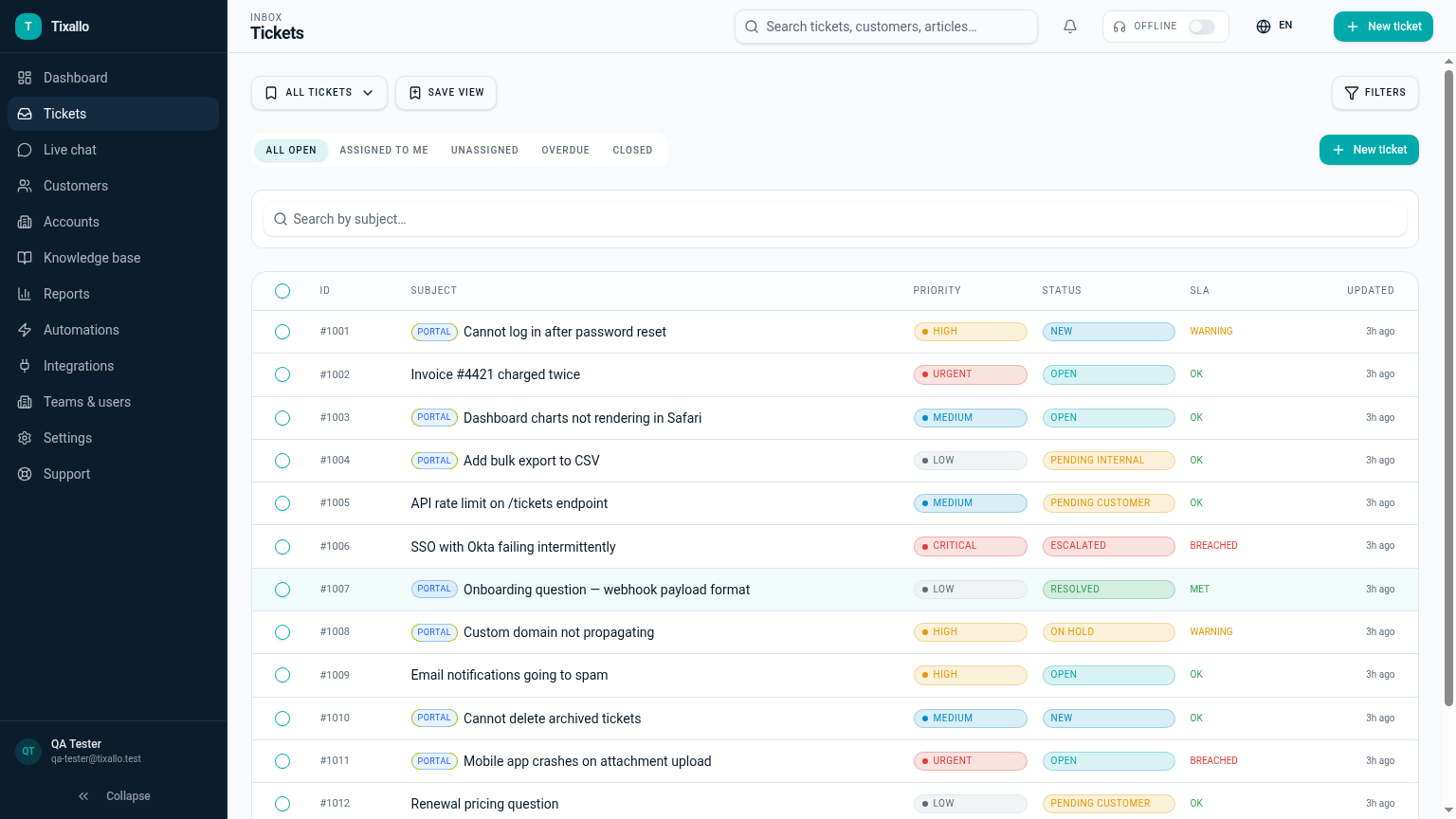
What Tixallo includes today
We only list features that are live in Tixallo right now. No roadmap-stuffing.
- Freshdesk importer (Settings → Imports → Freshdesk)
- Tickets + conversations preserved with author + timestamps
- Contacts and companies imported into the CRM
- Tags and basic custom fields carried over
- Chunked import with retries and dead-letter queue
- CSV import as a fallback for custom data
Migration path
- 1
Sign up for Tixallo and create a workspace — no credit card needed.
- 2
Open Settings → Imports → Freshdesk and paste your domain + API key.
- 3
Choose a date range and start the import — it runs in the background.
- 4
Verify imported tickets, contacts and tags; re-create your top macros.
- 5
Forward support@ to the Tixallo inbound address when you're ready.
- 6
Swap the Freshchat widget for the Tixallo chat widget snippet.
Add Tixallo to your website in minutes
Website contact forms
Hosted form pages and copy-paste embeds turn site traffic into tickets — no developer required.
Add Tixallo to your websiteLive chat widget
A lightweight chat script your visitors can use immediately. Conversations land in the same shared inbox as email.
See live chatFrequently asked questions
What can I migrate from Freshdesk?
Tickets and conversations (with original author and timestamp), contacts as customers, companies as accounts, tags, and core custom fields. Custom or unusual fields can come across via the CSV importer.
What does NOT auto-migrate from Freshdesk?
Dispatch'r / observer / supervisor rules, Freshcaller voice recordings, Freshchat transcripts (use the Tixallo widget going forward, or CSV-import history), and the Freshworks marketplace app state. Most teams rebuild 5–10 core automations and macros and find that covers the bulk of volume.
Does the importer cover Freshchat too?
The importer focuses on Freshdesk ticket data. Live chat moves over by replacing the Freshchat widget with the Tixallo chat widget — historical chat transcripts can come via CSV.
Will custom fields come across?
Core fields and tags are mapped automatically. For unusual custom fields, the CSV import lets you map any column to a Tixallo field.
Can I keep using Freshdesk during the move?
Yes. Run both in parallel — flip your support@ forwarding only when you're satisfied with Tixallo.
How long does Freshdesk migration take?
Most small teams cut over in a few days. The import itself runs in the background; the slow part is usually rebuilding automations and macros. For very large Freshdesk accounts plan a longer parallel-run window.
Do I need to pay to migrate?
No. Sign up is free with no credit card, and every new workspace gets the full Pro feature set free for 90 days — enough time to migrate, validate and decide.
Try Tixallo free
Free forever for small teams. Pro features free for 90 days. No credit card.