How to organise customer support tickets
A practical guide to organising support tickets — tags, custom fields, saved views, accounts and automations doing the structural work.
Free forever for small teams · 90-day Pro trial · No credit card
Why teams switch to Tixallo
- Tag tickets by topic so reporting actually means something.
- Custom fields capture the data your team really needs (order, plan, region).
- Saved views let each agent see their slice without filtering by hand.
- Group tickets by Account so a customer's history stays together.
- Automations apply tags and route automatically on arrival.
A quick look
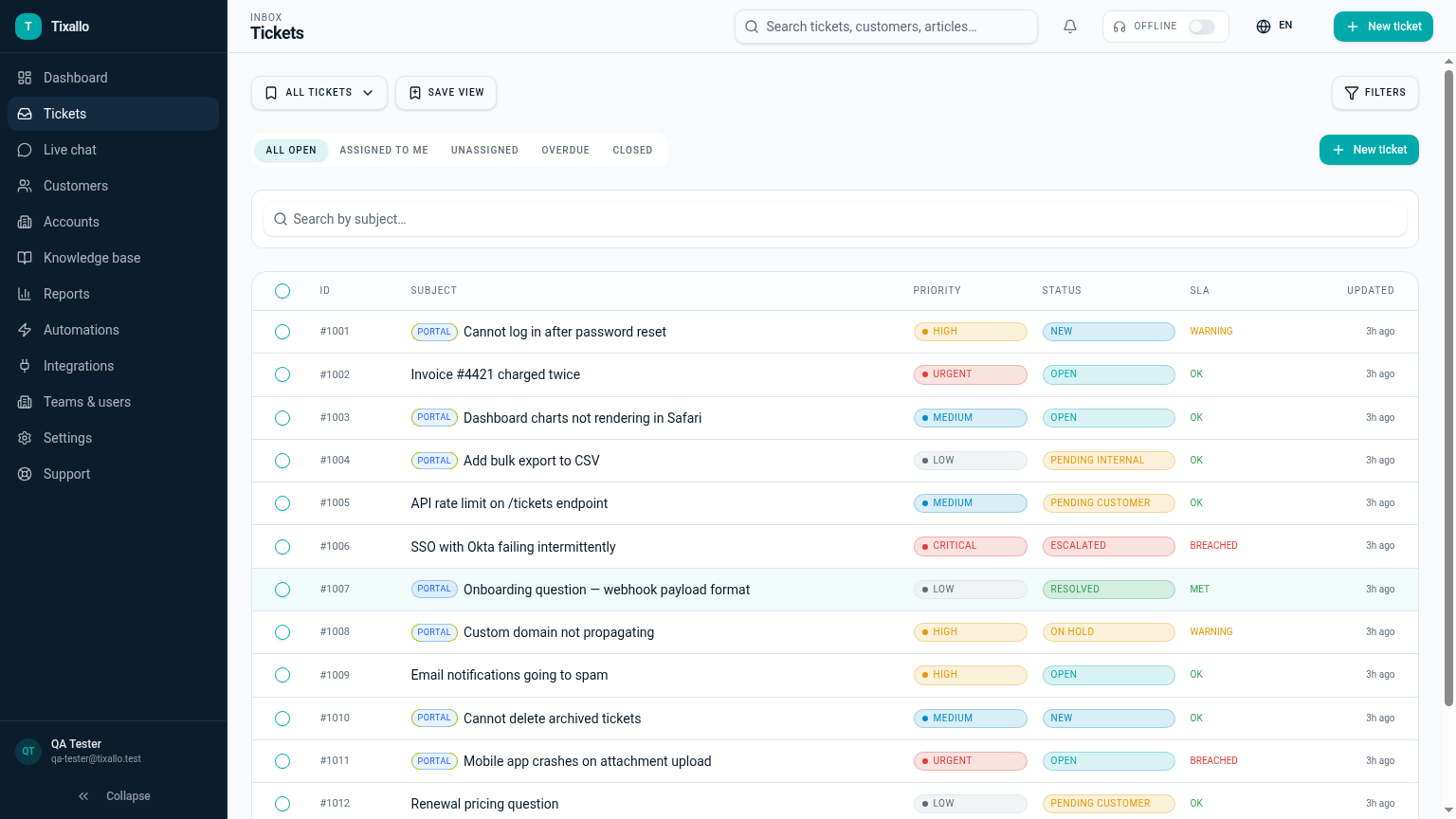
What Tixallo includes today
We only list features that are live in Tixallo right now. No roadmap-stuffing.
- Tags, custom fields and saved views
- Accounts CRM grouping tickets per customer company
- Automations to tag and route on arrival
- Macros for the recurring answers
- Reporting on tag, view and account
- Audit logging on owner and lifecycle changes
- Spam and phishing classifier on inbound channels
Best fit / not best fit
Tixallo is a great fit if…
- You can't find anything in your current inbox.
- Reporting is useless because tickets aren't categorised.
- Different agents need different default views.
Tixallo is not the right pick if…
- You only need a personal inbox organiser.
- You need a project-management board as the primary tool.
- You need a documents / knowledge-management product.
Add Tixallo to your website in minutes
Website contact forms
Hosted form pages and copy-paste embeds turn site traffic into tickets — no developer required.
Add Tixallo to your websiteLive chat widget
A lightweight chat script your visitors can use immediately. Conversations land in the same shared inbox as email.
See live chatThe problem
When tickets aren't organised, two things break: agents can't find anything (so the same customer gets asked the same question twice) and reporting becomes useless (so you can't tell whether you're drowning in billing questions or bug reports). The fix isn't more folders — it's a small, consistent set of tags, the right custom fields, and saved views that match how each person actually works.
Step-by-step
- 1
Audit a week of tickets and pick 8–12 tags
Look at the last 100 tickets and group them. You'll usually find five or six topic clusters (billing, bug, how-to, refund, account) plus a couple of priority/customer-type tags. Resist the urge to start with 30.
- 2
Add custom fields for the data you keep retyping
Order number, plan tier, region, integration. If agents paste the same data into internal notes ticket after ticket, that's a custom field begging to exist.
- 3
Group tickets per Account
Use Accounts to roll up every ticket from a customer company into one record. Reps see the full history before replying — no more 'what did we tell them last week?'
- 4
Build saved views per role, not per person
'My open tickets', 'Unassigned billing', 'Awaiting customer', 'Breached SLA'. Share them across the team so onboarding new agents is one click, not a 30-minute walkthrough.
- 5
Automate tagging on arrival
Auto-apply tags based on subject keywords, sender domain or which form the ticket came from. Manual tagging is the first thing agents skip when they're busy.
- 6
Review the tag list every quarter
Drop tags that haven't been used in 90 days; rename ones that overlap. A tidy tag list stays tidy because it's small.
Common mistakes to avoid
- !Starting with 30 tags — agents won't pick the right one and reporting breaks.
- !Using tags for status (use status), priority (use priority) or owner (use owner).
- !Custom fields nobody fills in — make them optional or auto-populate from automations.
- !One giant 'unassigned' view — split by team or topic so the right person owns triage.
- !Naming tags inconsistently (Billing vs billing vs billing-issue) — pick a convention.
- !Skipping Accounts because customers are 'mostly individuals' — Accounts still help group repeats.
How Tixallo helps
- Ticketing system with CRM
Customers and Accounts roll every ticket up so the full history is one click away.
- Ticketing system with automation
Apply tags, route by topic and add custom fields automatically on arrival.
- Shared inbox for support
Saved views and bulk-edit so each agent works their slice without manual filtering.
- Pricing
Custom fields, automations and Accounts are in Pro — free for 90 days, no card.
Frequently asked questions
Can we add our own custom fields?
Yes — custom fields on customers, accounts and tickets. Use them in saved views and automations.
Can each agent have their own saved views?
Yes — personal and team-shared saved views, with multi-condition filters.
How many tags should we start with?
Around 8–12. Cover topic (billing, bug, how-to, refund), priority (urgent), and customer type (free, paid). Anything finer-grained is better expressed as a custom field.
Can we re-tag historical tickets in bulk?
Yes. Bulk-edit from any saved view to apply tags, owners or status to many tickets at once.
Free plan?
Free forever for small teams (2 agents, 100 tickets / month). Pro features are free for the first 90 days, no card.
Try Tixallo free
Free forever for small teams. Pro features free for 90 days. No credit card.