How to centralise customer communication
A practical guide to centralising customer communication — email, web forms and live chat in one shared inbox, with CRM context attached.
Free forever for small teams · 90-day Pro trial · No credit card
Why teams switch to Tixallo
- Email, web forms and live chat all land in one shared inbox.
- Customer history follows the conversation across channels.
- Customers + Accounts CRM means everyone sees the same context.
- Macros and automations work the same way on every channel.
- Free forever for small teams; full Pro feature set free for 90 days.
A quick look
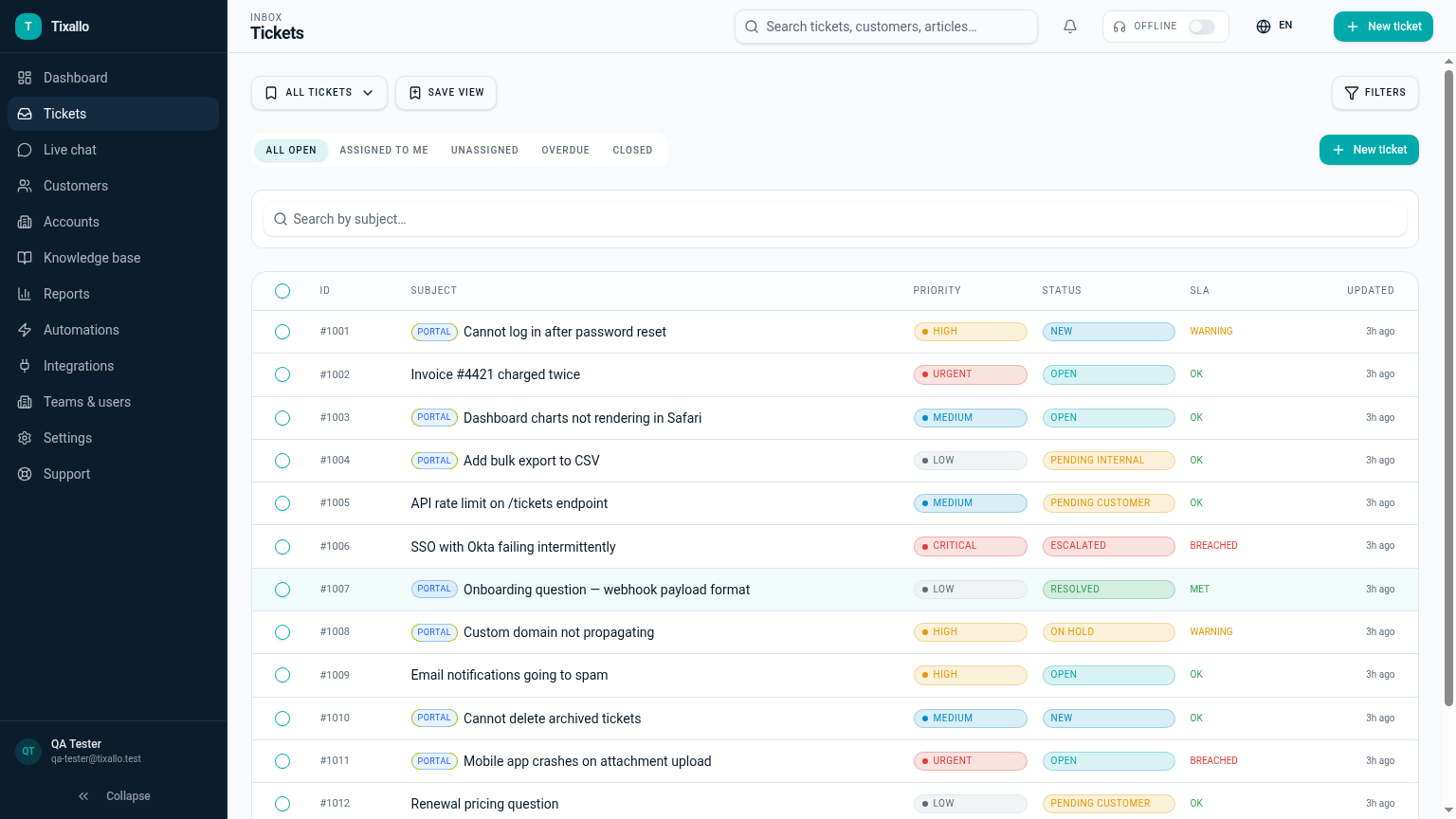
What Tixallo includes today
We only list features that are live in Tixallo right now. No roadmap-stuffing.
- Shared inbox covering email, hosted forms and live chat
- Customers + Accounts CRM with custom fields
- Macros that work on any channel
- Automations to route, tag and prioritise on arrival (Pro trial)
- Customer portal with KB search and ticket history
- Live chat widget with availability routing
- Audit logging on owner and lifecycle changes
Best fit / not best fit
Tixallo is a great fit if…
- You answer the same customer in 3 different tools.
- You want one record per customer, not three.
- You want to add chat without losing email.
Tixallo is not the right pick if…
- You need WhatsApp / SMS / voice as primary channels today.
- You depend on social DMs (Instagram / Facebook) as the main channel.
- You need a marketing-automation platform.
Add Tixallo to your website in minutes
Website contact forms
Hosted form pages and copy-paste embeds turn site traffic into tickets — no developer required.
Add Tixallo to your websiteLive chat widget
A lightweight chat script your visitors can use immediately. Conversations land in the same shared inbox as email.
See live chatThe problem
When customer communication is split across personal email, a contact form that emails one person, a chat tool nobody monitors and a Slack channel for VIPs, two things go wrong: the same customer gets contradictory answers from different agents, and nobody can answer the question 'what's going on with this account?' Centralising means making one place where every conversation lives — and one customer record where every conversation is attached.
Step-by-step
- 1
List every channel you currently answer customers on
Personal email, support@, contact form, live chat, Slack Connect, social DMs. You'll usually find two or three you forgot about. Decide which are 'official' and which need to be retired or forwarded.
- 2
Forward the official channels into one shared inbox
Point support@, the contact form and the chat widget at Tixallo so every conversation becomes a ticket attached to a customer record.
- 3
Adopt one customer record
Match by email address. If the customer chats today and emails tomorrow, both conversations should hang off the same Customer (and Account, if B2B). No more 'who is this person?' five minutes into the reply.
- 4
Standardise tone and macros across channels
Macros work the same in email, form and chat. The same 'we need your order number' macro should sound right whether you send it from chat or email — write them once, use them everywhere.
- 5
Be honest about what isn't centralised yet
If WhatsApp, SMS or Instagram DMs aren't in Tixallo today, name that explicitly in your runbook. Better to know about a gap than discover it during an outage.
- 6
Make the customer portal the public 'one place'
Link the portal from your contact form, footer and macros so customers always have one URL where they can see every ticket they've ever opened.
Common mistakes to avoid
- !Centralising tools but not records — three inboxes still feel like three teams.
- !Treating Slack as a customer-facing channel; messages disappear in two weeks.
- !Promising every channel without staffing every channel — pick a few you can answer well.
- !Forwarding to a personal mailbox 'just in case' — that's where context goes to die.
- !Asking the customer to repeat their order number on every channel.
- !Hiding the portal so customers can't find their own ticket history.
How Tixallo helps
- Shared inbox for support
One queue for email, web forms and chat, with assignments, notes and a single view per customer.
- Ticketing system with live chat
Add chat without splitting your team — chat tickets land in the same inbox as email.
- Website contact form to ticket
Hosted form pages and embeds turn site traffic into tickets attached to a customer record.
- Ticketing system with CRM
Customers + Accounts so every conversation hangs off one record, with custom fields and history.
Frequently asked questions
What channels does Tixallo cover today?
Email (forward your support address), hosted contact form pages and embeddable forms, and a live chat widget. Everything lands in the same shared inbox.
Will customer history follow them across channels?
Yes — every conversation is attached to the customer record, regardless of the channel it came in on.
What about WhatsApp, SMS or social DMs?
Not native today. WhatsApp / SMS and social DMs aren't shipped channels in Tixallo right now — we won't pretend otherwise. If those are your primary channels, keep a dedicated tool for them; for everything email / form / chat, Tixallo centralises in one inbox.
Can we keep one record per customer if they email and chat?
Yes. Tixallo matches by email address (and by chat session for logged-in customers) and rolls every conversation up to the same Customer record, with an Account if they belong to a company.
Free plan?
Free forever for small teams (2 agents, 100 tickets / month). Pro features are free for the first 90 days, no card.
Try Tixallo free
Free forever for small teams. Pro features free for 90 days. No credit card.